
Connection Management and Token Refresh
Every Revenue Proven integration runs on OAuth with encrypted tokens that refresh automatically. This guide explains how tokens are stored, when they refresh, and what to do when a connection drops.
LinkedIn Ads, HubSpot, and Salesforce all use OAuth to grant Revenue Proven access to your data. Revenue Proven encrypts every access token and refresh token before storing it. Tokens refresh automatically in the background so your syncs keep running without you having to reconnect manually.
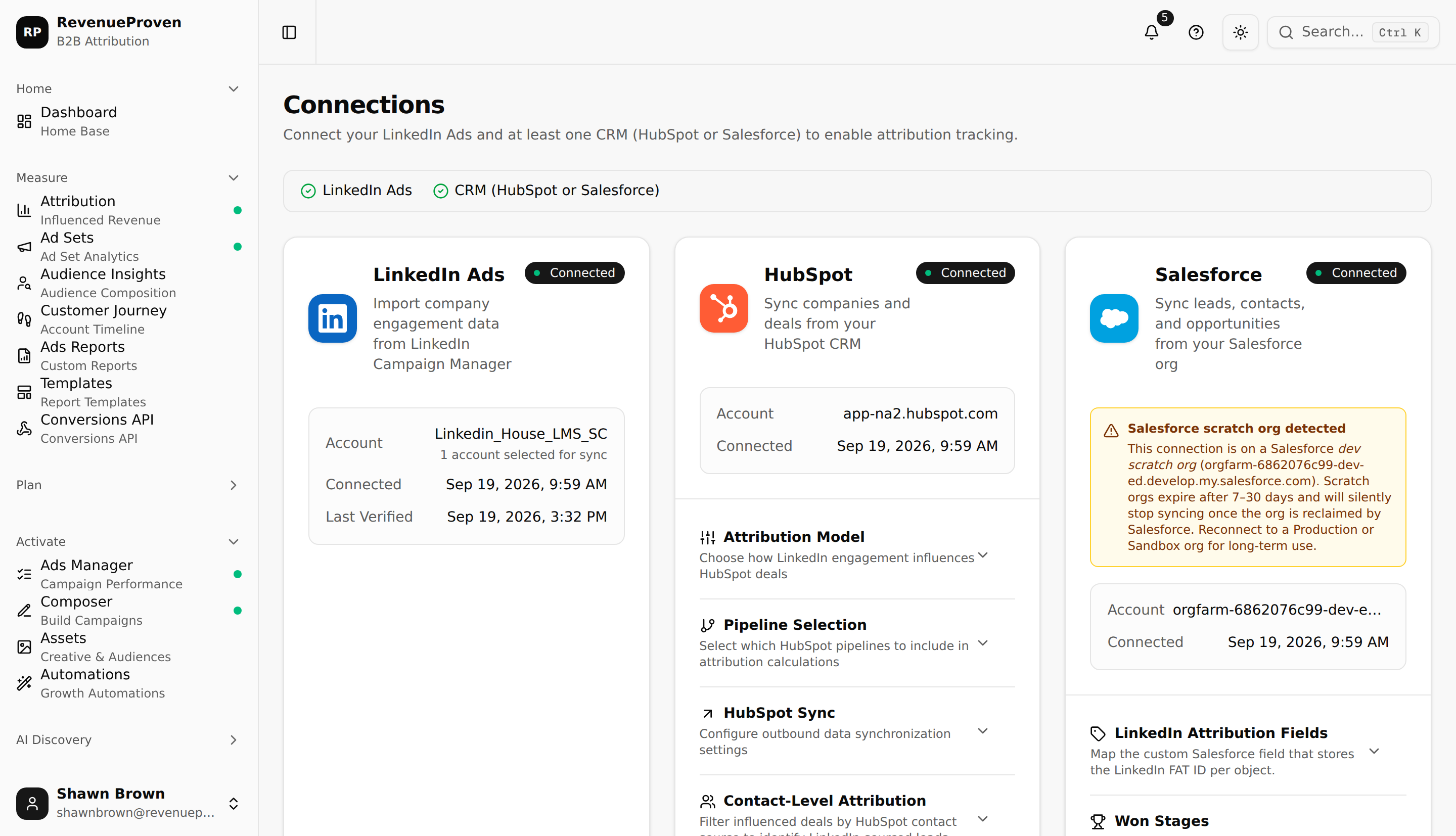
Token lifetimes
Token lifetimes follow each provider's defaults. LinkedIn, HubSpot, and Salesforce each control how long their tokens stay valid, and these durations can vary based on your org or app configuration. Revenue Proven checks token health before every sync run and refreshes in advance when a token is close to expiry.
Auto-refresh behavior
Before each sync cycle, Revenue Proven checks whether the current access token needs refreshing. If it does, a fresh token is obtained first and then the sync proceeds. Only one refresh attempt fires at a time per connection, so providers do not see duplicate refresh requests even if multiple processes start simultaneously.
Revoked access
If you revoke Revenue Proven's access from within LinkedIn, HubSpot, or Salesforce, the next sync attempt will fail and Revenue Proven will mark the connection as Disconnected. Historical data already synced is preserved. Only future syncs stop until you reconnect.
Reconnecting
In the left sidebar, open Connections (under Workspace). Click Reconnect on the disconnected integration card. The OAuth window opens and you authorize the same scopes. Once authorized, sync resumes from the last successful point and no data is duplicated.
Related Reading
See "LinkedIn Ads Integration" for the initial OAuth flow and "Salesforce Integration" for Salesforce-specific connection details.